Details
-
Type:
 Bug
Bug
-
Status:
 Open Bug
(View Workflow)
Open Bug
(View Workflow)
-
Priority:
 Normal
-
Resolution: Unresolved
-
Affects Version/s: None
-
Fix Version/s: None
-
Component/s: UCMDB
-
Labels:
-
Customer:Ooreedo Tunisia
Description
Dear @Hassan Abdine,
Could you please help us investigate and resolve the following issues observed in ACE Web? Alternatively, kindly advise whether these JIRA tickets should be assigned to the Development team for further investigation and resolution.
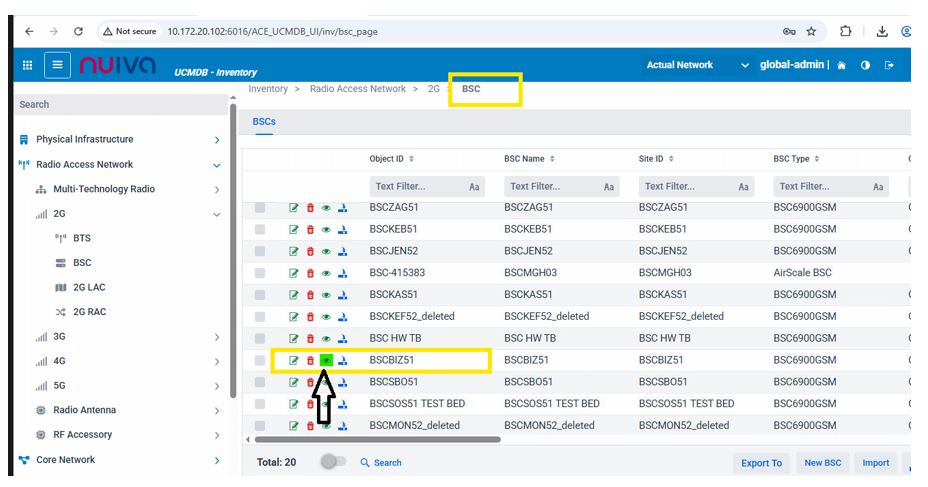
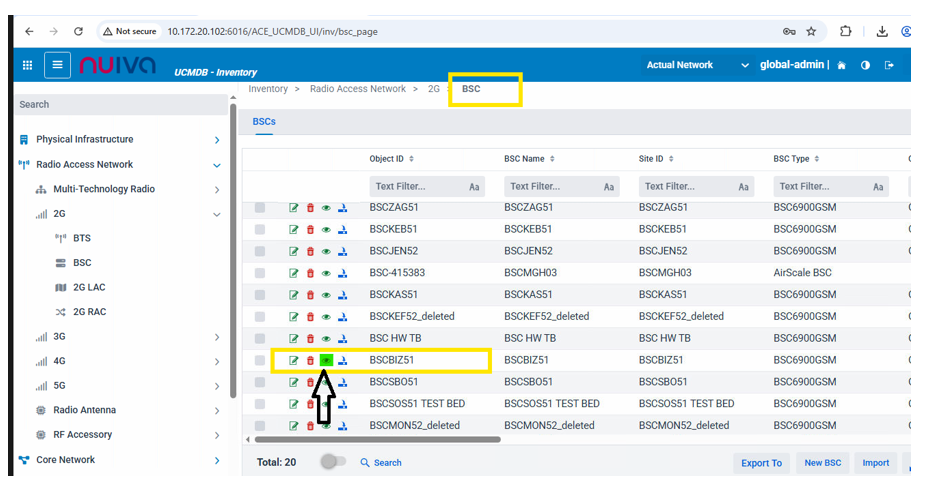
1. Physical Configuration Report Not Opening
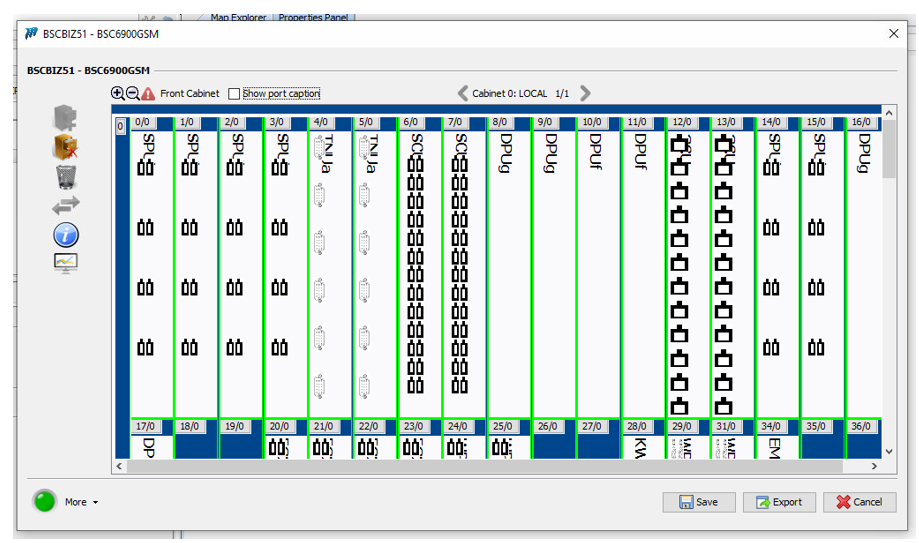
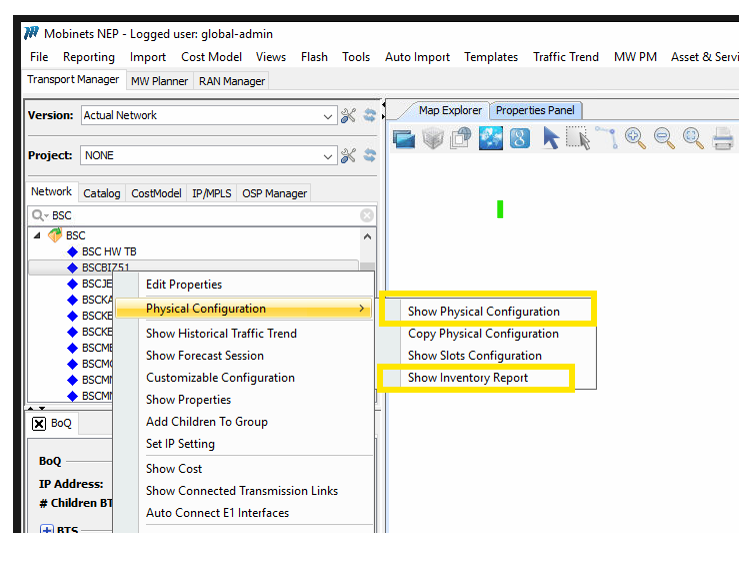
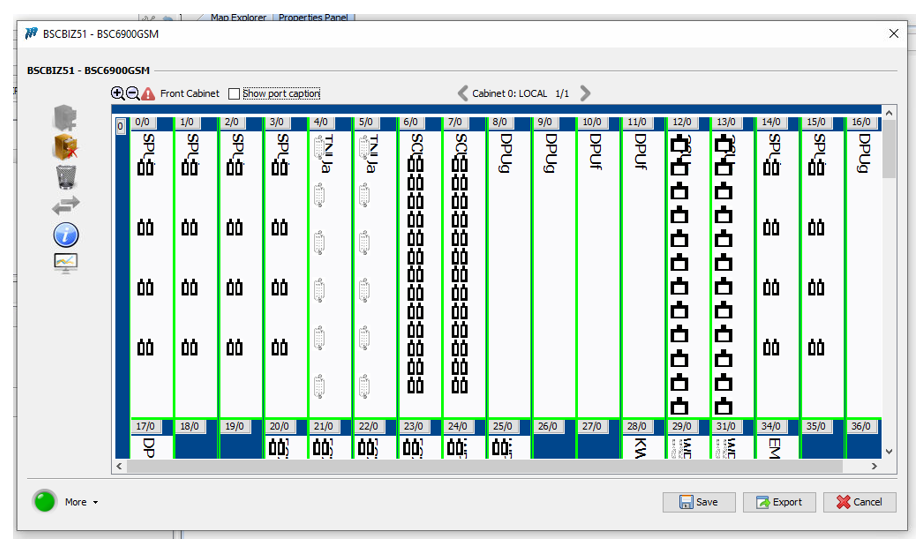
• In Swing NEP, users can view the Physical Configuration details for any node that has physical inventory.
• However, this functionality is not working in ACE Web.
• For example, when selecting the BSC node (BSCBIZ51) and attempting to open its Physical Configuration, the application does not respond, and the report is not opened.
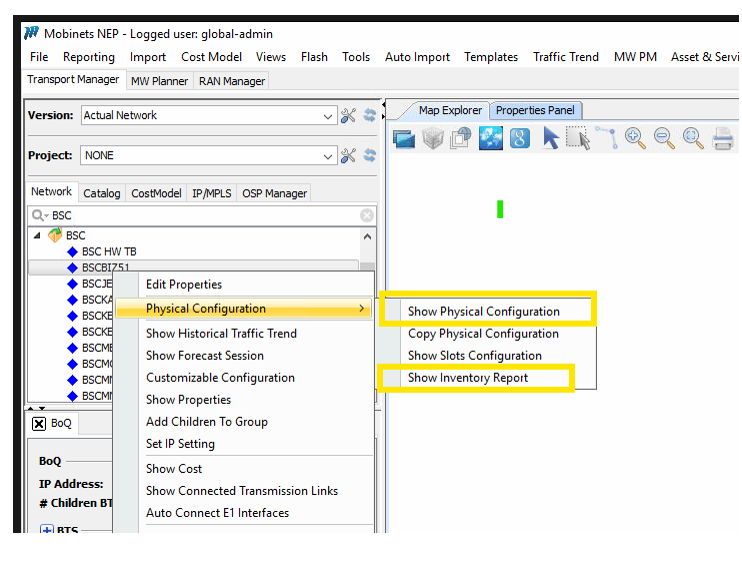
2. Missing Right-Click Context Menu Options
• In Swing NEP, right-clicking on a node provides multiple context menu options for various operations.
• These right-click menu options are not available in ACE Web, resulting in missing functionality compared to Swing NEP.
Kindly review the above issues and implement the necessary fixes to ensure ACE Web provides the same functionality as Swing NEP.
Attachments
Activity
-
- Time Spent:
- 2 hours
-
During data validation in ACE Web, find this issue and highlighted to Hassan for clearance.
| Field | Original Value | New Value |
|---|
| Reporter | Azmat Ali [ aali ] | Indrasan Yadav [ iyadav ] |
| Assignee | Bessem Manita [ bmanita ] | Hassan Abdine [ habdine ] |
| Description |
Transmission link not opening in UCMDB
Below RAN related report is also not opening in ACE due to internal error. Below RAN related report is also not opening in ACE due to internal error. 1- eNodeB Report (Not opening and showing internal error) 2- Radio Antenna Report (Not opening and showing internal error) 3- Logical Interface (Not opening and showing internal error) 4- Port Report (Not opening) 5- Inventory Report (Not opening) |
Dear @Hassan Abdine,
Could you please help us investigate and resolve the following issues observed in ACE Web? Alternatively, kindly advise whether these JIRA tickets should be assigned to the Development team for further investigation and resolution. 1. Physical Configuration Report Not Opening • In Swing NEP, users can view the Physical Configuration details for any node that has physical inventory. • However, this functionality is not working in ACE Web. • For example, when selecting the BSC node (BSCBIZ51) and attempting to open its Physical Configuration, the application does not respond, and the report is not opened. 2. Missing Right-Click Context Menu Options • In Swing NEP, right-clicking on a node provides multiple context menu options for various operations. • These right-click menu options are not available in ACE Web, resulting in missing functionality compared to Swing NEP. Kindly review the above issues and implement the necessary fixes to ensure ACE Web provides the same functionality as Swing NEP. |
| Attachment | ACE SS.png [ 136900 ] | |
| Attachment | NEP SS-2.png [ 136901 ] | |
| Attachment | NEP SS-1.png [ 136902 ] |
| Remaining Estimate | 0 minutes [ 0 ] | |
| Time Spent | 2 hours [ 7200 ] | |
| Worklog Id | 301900 [ 301900 ] |

|
Links Hierarchy |
 Documentation Documentation
|