Details
-
Type:
 Bug
Bug
-
Status:
 Closed
(View Workflow)
Closed
(View Workflow)
-
Priority:
 Normal
-
Resolution: Fixed
-
Component/s: None
-
Labels:
-
Customer:Ooreedo Tunisia
Description
Dear @Khaled Khalil,
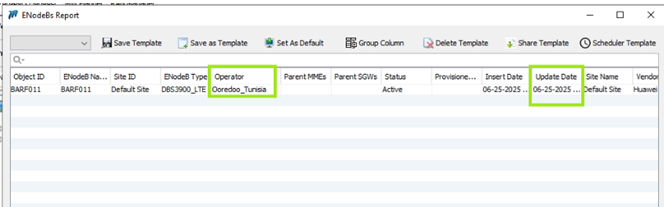
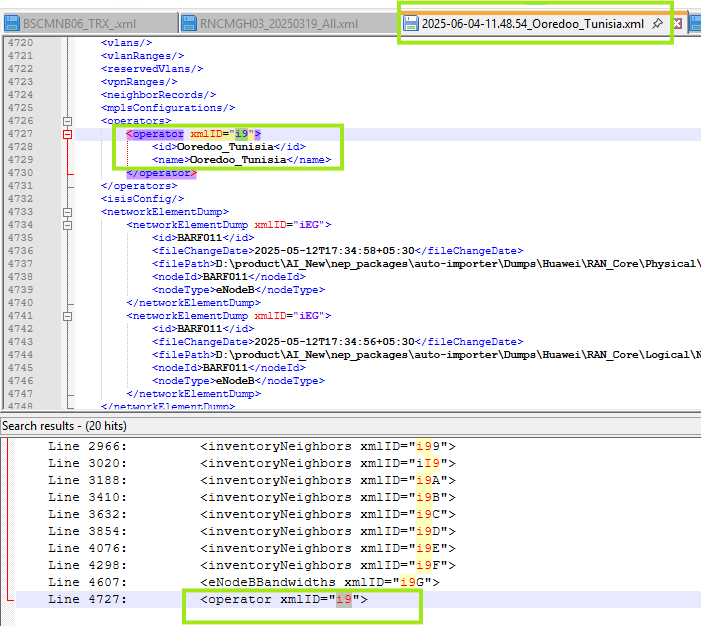
Please assign NEP DEV resource to check why operator is not importing in
NEP under report eNodeB, while it is available in XML.
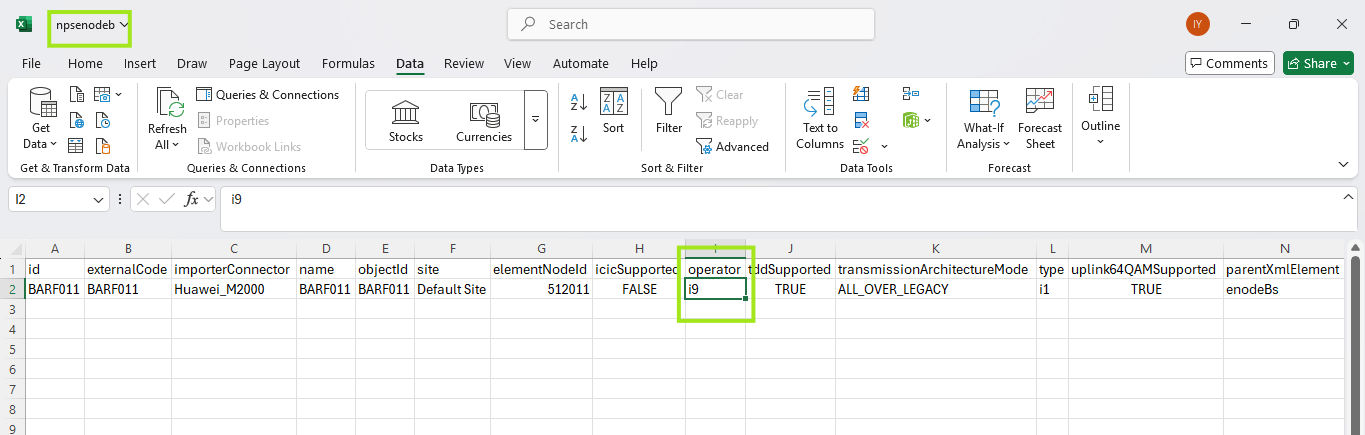
XML Import: 2025-06-04-11.48.54_Ooredoo_Tunisia (xml attached here)
Platform: Ooredoo Test .102
XML Import Date: 11-06-2025
XML Snippet: attached here.
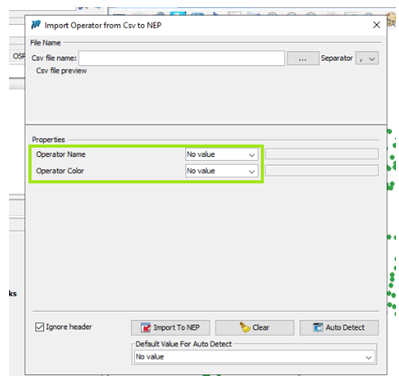
NEP Snippet: attached here.
And there is no relevant error in an error report related to this.
Thank you
Indrasan
Attachments


Activity
- All
- Comments
- Work Log
- History
- Activity
- Links Hierarchy
- Transitions
- Trace
Dear @Indrasan Yadav,
The operator is not appearing in the NEP under the eNodeB report because the operator must be imported before importing the XML file.
- Import Operator using a CSV file:
- Import the XML file
Regards,
Mustapha
Show
 Mustapha Al-Hage
added a comment - Dear @Indrasan Yadav,
The operator is not appearing in the NEP under the eNodeB report because the operator must be imported before importing the XML file.
Import Operator using a CSV file:
- Import the XML file
Regards,
Mustapha
Mustapha Al-Hage
added a comment - Dear @Indrasan Yadav,
The operator is not appearing in the NEP under the eNodeB report because the operator must be imported before importing the XML file.
Import Operator using a CSV file:
- Import the XML file
Regards,
Mustapha

Dear @Mustapha Al-Hage,
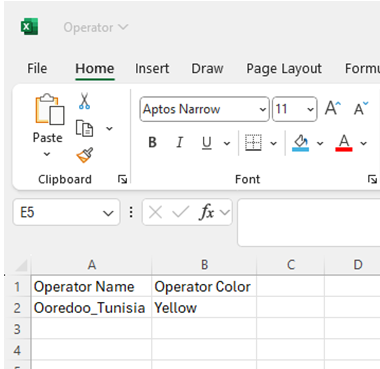
As discussed during our Teams call, I attempted to import operator details via CSV multiple times using the input data where the color was set to yellow. However, an error message appeared indicating that the same color already exists. I demonstrated this issue to you during the call.
Subsequently, I changed the color to blue and orange, but the same error persisted. I then left the color field blank, but another error was shown stating that the color cannot be blank.
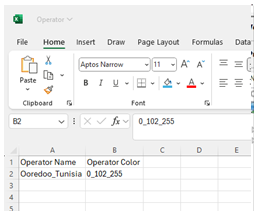
Finally, I used the value “0_102_255”, which you shared as a reference from OmanTel. This time, the import was successful. I then imported the corresponding XML, and the data is now correctly appearing under the “eNodeB” report.
Conclusion:
The issue has been resolved successfully.
Thank you
Indrasan