Details

    • Customer:
      OMAN-Tel
    • Complexity:
      High
    • Severity:
      Critical
    • Product:
      NEP
    • REQUESTER:
      INTERNAL

      Description

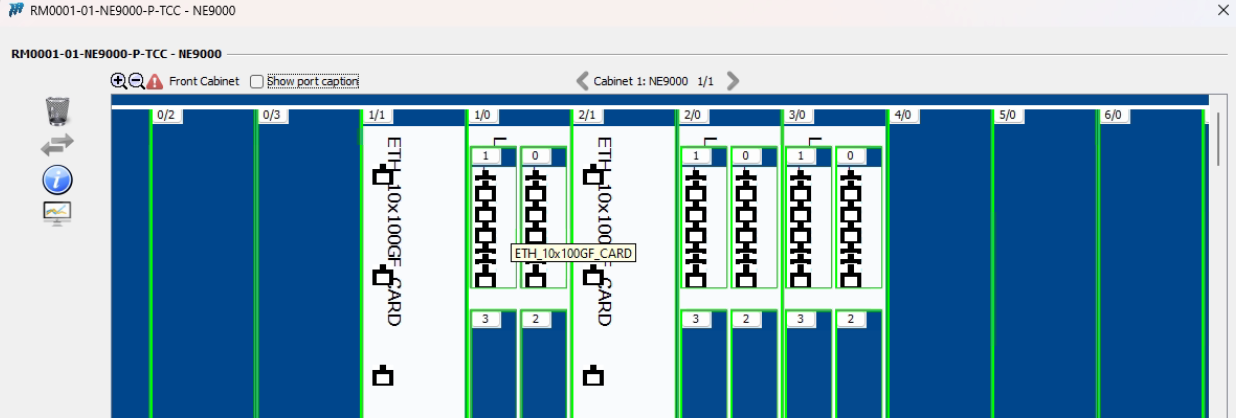
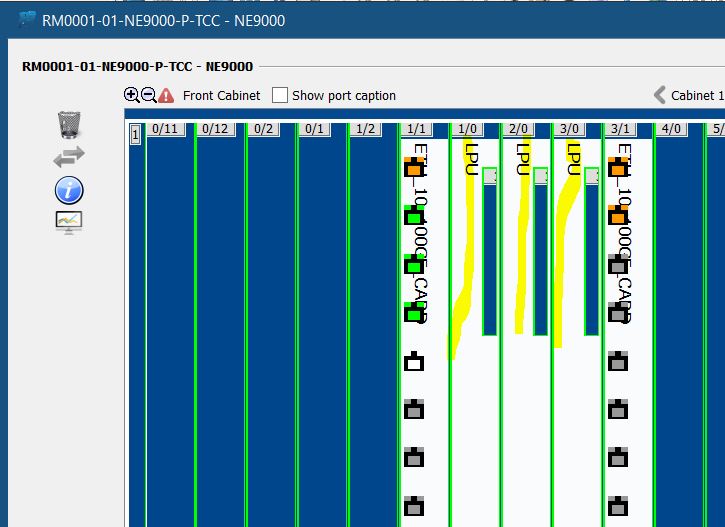
      It is observed that, the Boards are not showing correctly in physical configuration of the Router.

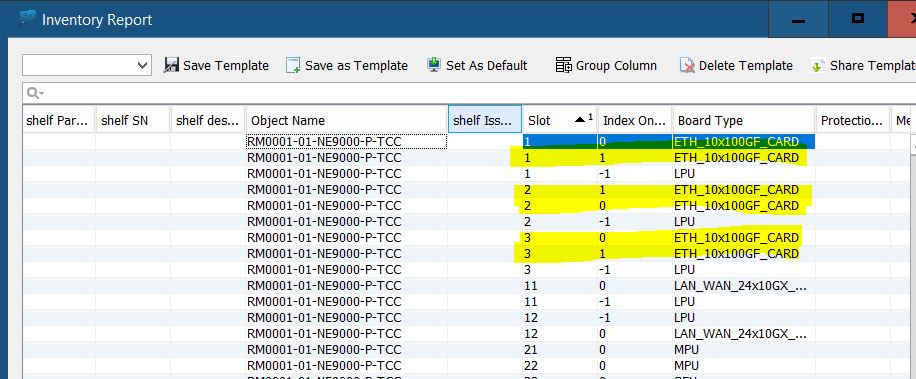
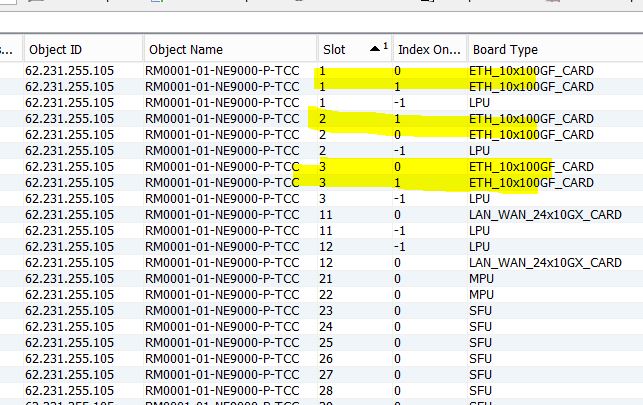
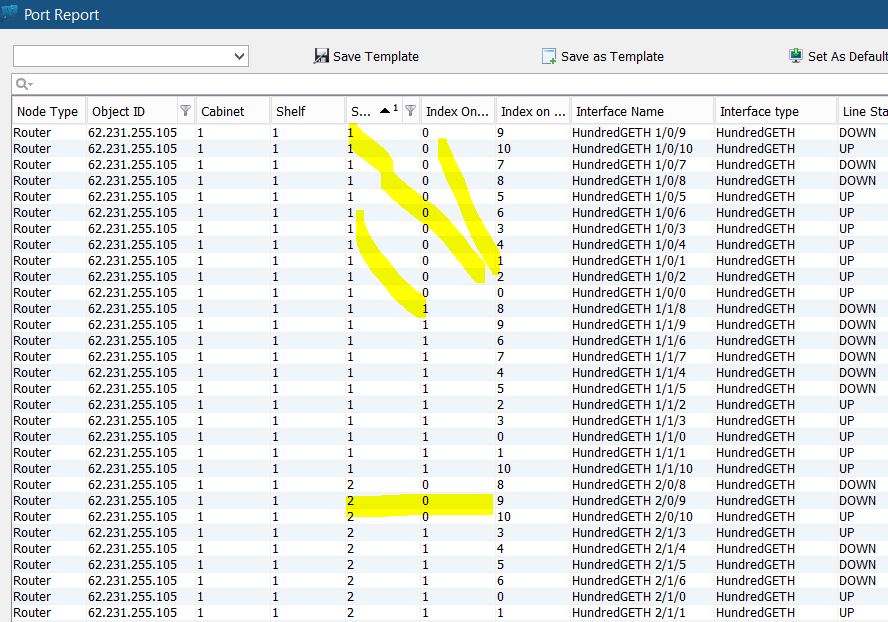
      The Physical details in NEP report(Board report,Port Report,Inventory report) found to be OK.
      Catalog related issues also checked.

      I am attaching the SS from Physical Configuration of the Router, Port Report from NEP. Catalog and Imported XML. Please check

      1. 2025-08-06-05.30.39_OmanTel.xml
        65.45 MB
        Aurobinda Panda
      1. 20990c57-efee-42e6-97ec-49c2ba89fc5f.jpg
        42 kB
      2. 406cd905-6c7d-40be-8be0-87497590a6e5.jpg
        35 kB
      3. AUTO DISTRIBUTION.png
        32 kB
      4. Boards not loading_RM0001.JPG
        87 kB
      5. Catalog NE9000 Configuration_NEP.JPG
        87 kB
      6. e898bf6d-48da-47e3-8ee4-6b6955c0c03e.jpg
        17 kB
      7. GRAPHICAL PHYSICAL CONFIGURATION.png
        87 kB
      8. Inventory Report_NEP.JPG
        96 kB
      9. MOTHERBOARD 2 PANELS.png
        102 kB
      10. MPU BOARD TYPE.png
        56 kB
      11. Physical Configuration_NEP.JPG
        66 kB
      12. Port Report_NEP.JPG
        166 kB
      13. RIGHT CLICK ON MOTHERBOARD.png
        80 kB

        Activity

        Hide
        Aurobinda Panda added a comment -

        Dear @Marwan,

        we have applied the patches to 180 & Imported XML.
        But still the physical configuration didn't change as per XML data.
        Please check again.

        SS are attached.

        Show
        Aurobinda Panda added a comment - Dear @Marwan, we have applied the patches to 180 & Imported XML. But still the physical configuration didn't change as per XML data. Please check again. SS are attached.
        Hide
        Mustapha Al-Hage added a comment -

        Dear @Aurobinda Panda,

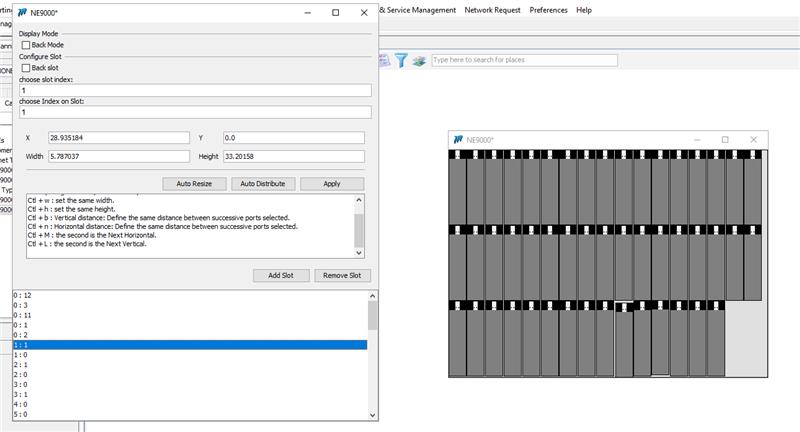
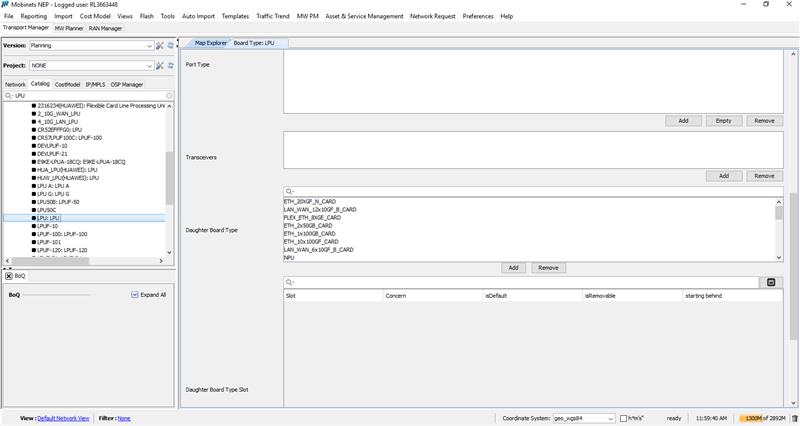
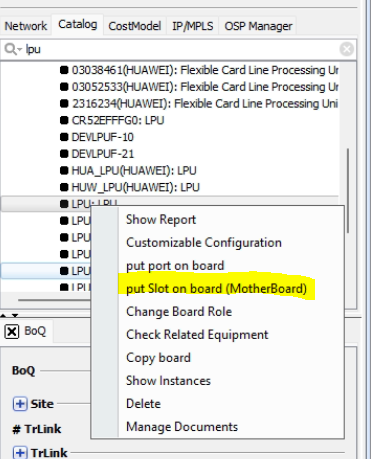
        After investigating the issue on 180 and reviewing the catalog, we found that the board type LPU is the motherboard, therefore please follow these steps to fix the issue:

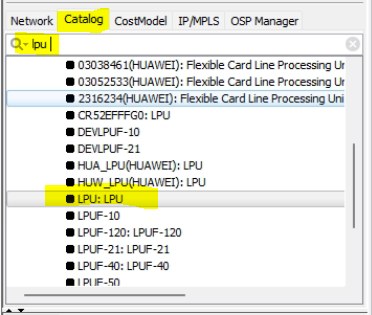
        • Search in the catalog for the board type LPU:
        • Right click on it, then click on put slot on board (MotherBoard):
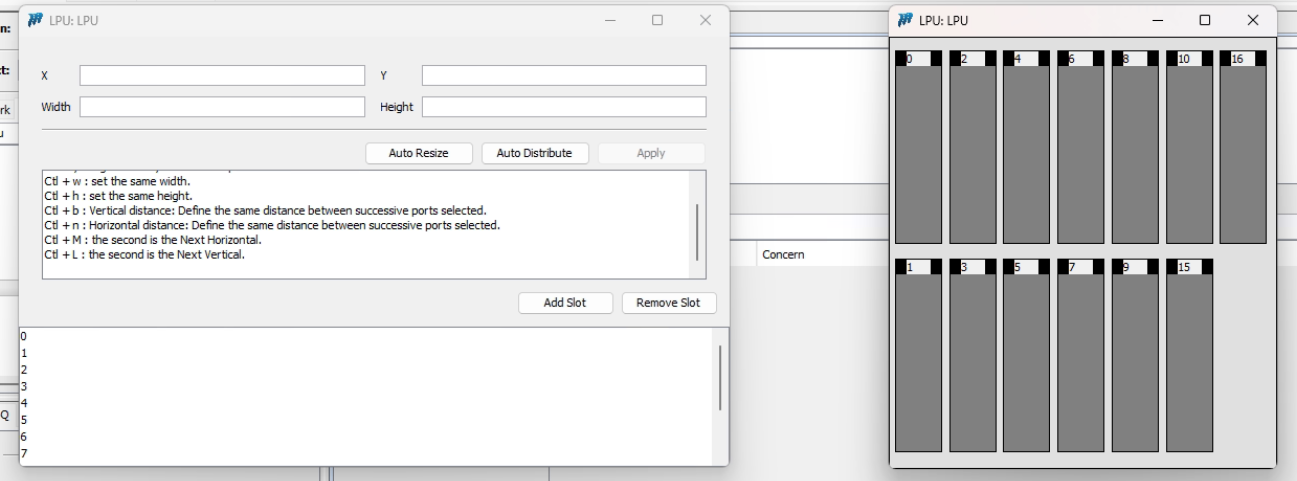
        • you will get two panels:
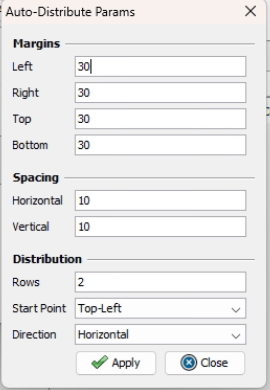
        • Click on auto distribute and manage the auto distribution as supposed and apply:

        Regards,
        Mustapha Al Hage

        • Close and save everything, then open the graphical physical configuration, you will get the result:

        Show
        Mustapha Al-Hage added a comment - Dear @Aurobinda Panda, After investigating the issue on 180 and reviewing the catalog, we found that the board type LPU is the motherboard, therefore please follow these steps to fix the issue: • Search in the catalog for the board type LPU: • Right click on it, then click on put slot on board (MotherBoard): • you will get two panels: • Click on auto distribute and manage the auto distribution as supposed and apply: Regards, Mustapha Al Hage • Close and save everything, then open the graphical physical configuration, you will get the result:
        Hide
        Khaled Khalil added a comment -

        provide the way to fix it

        Show
        Khaled Khalil added a comment - provide the way to fix it
        Hide
        Abir Messaikeh added a comment -

        Dear Mustapha,

        I have performed the steps mentioned below. But as can been visible from SS, the daughter boards are giving the same result as main board.

        In the above SS, Slot 1/0 LPU has more than 10-12 daughter slots. And the Port name is 1/1/3. Same slot is already available for 1/1. Find the below SS.

        What exactly I was looking for is to replace the LPU Boards with their correct daughter boards as seen for slot 1/1.

        Let me know for anything else.

        Show
        Abir Messaikeh added a comment - Dear Mustapha, I have performed the steps mentioned below. But as can been visible from SS, the daughter boards are giving the same result as main board. In the above SS, Slot 1/0 LPU has more than 10-12 daughter slots. And the Port name is 1/1/3. Same slot is already available for 1/1. Find the below SS. What exactly I was looking for is to replace the LPU Boards with their correct daughter boards as seen for slot 1/1. Let me know for anything else.
        Hide
        Mustapha Al-Hage added a comment -

        Dear @Aurobinda Panda, 

        As per our discussions yesterday via teams, the boardType LPU is a motherboard. Therefore, to fix this issue you need to do "either one" of the following:

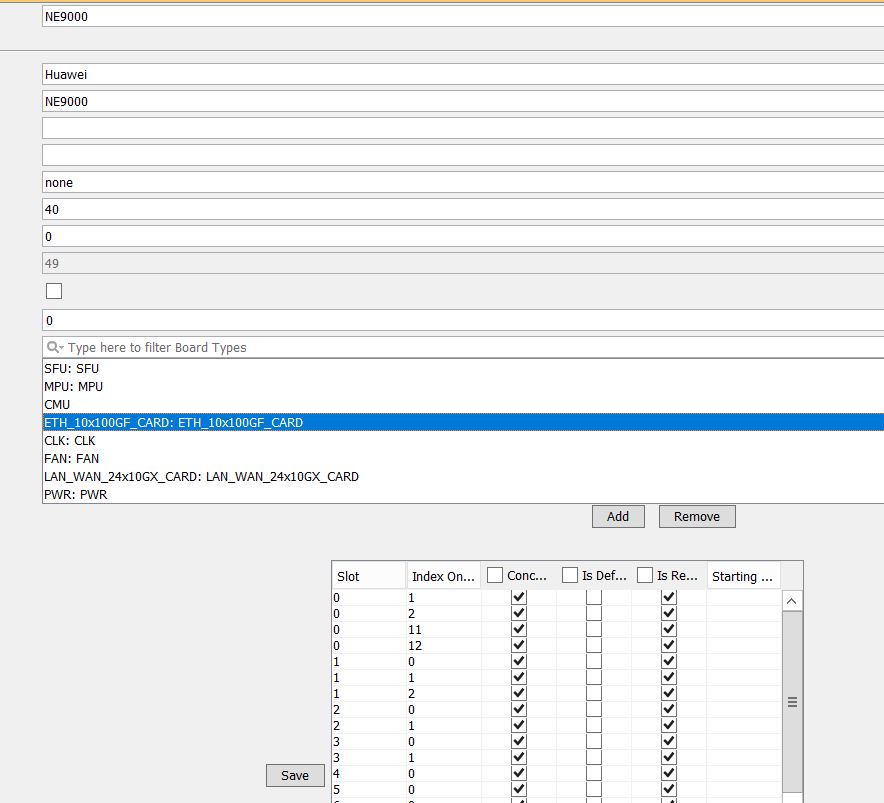
        1- Make LPU a normal board, by removing its daughter boards:

        2- The second option, if we take 1/0 and 1/1 as an example, you can follow these steps:

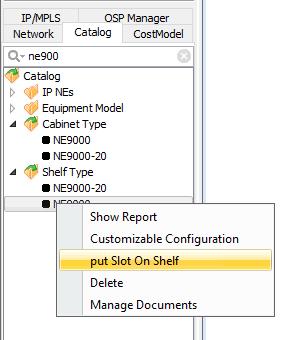
        • right click on shelftype and click on put slot on shelf:
        • Remove 1:1 and keep only 1:0. In this step the LPU motherboard will be displayed and its daughter boards such as "ETH_10x100GF_CARD" will be placed inside it. 

        Regards, 
        Mustapha

        Show
        Mustapha Al-Hage added a comment - Dear @Aurobinda Panda,  As per our discussions yesterday via teams, the boardType LPU is a motherboard. Therefore, to fix this issue you need to do "either one" of the following: 1- Make LPU a normal board, by removing its daughter boards: 2- The second option, if we take 1/0 and 1/1 as an example, you can follow these steps: right click on shelftype and click on put slot on shelf: Remove 1:1 and keep only 1:0. In this step the LPU motherboard will be displayed and its daughter boards such as "ETH_10x100GF_CARD" will be placed inside it.  Regards,  Mustapha

          People

          • Assignee:
            Aurobinda Panda
            Reporter:
            Aurobinda Panda
            Rejected By:
            Mustapha Al-Hage
          • Votes:
            0 Vote for this issue
            Watchers:
            4 Start watching this issue

            Dates

            • Due:
              Created:
              Updated:
              Resolved:
              Planned Start:
              Planned End:
              Actual Start:
              Date of Baselining:

              Time Tracking

              Estimated:
              Original Estimate - Not Specified
              Not Specified
              Remaining:
              Remaining Estimate - 0 minutes
              0m
              Logged:
              Time Spent - 3 days, 5 hours
              3d 5h

                Drag and Drop